
An EV charger touchscreen that handles rain and gloves must distinguish an intentional driver input from water on the front surface. A dry bare-finger demonstration does not establish that a driver wearing winter gloves can select the correct connector while droplets move across the glass.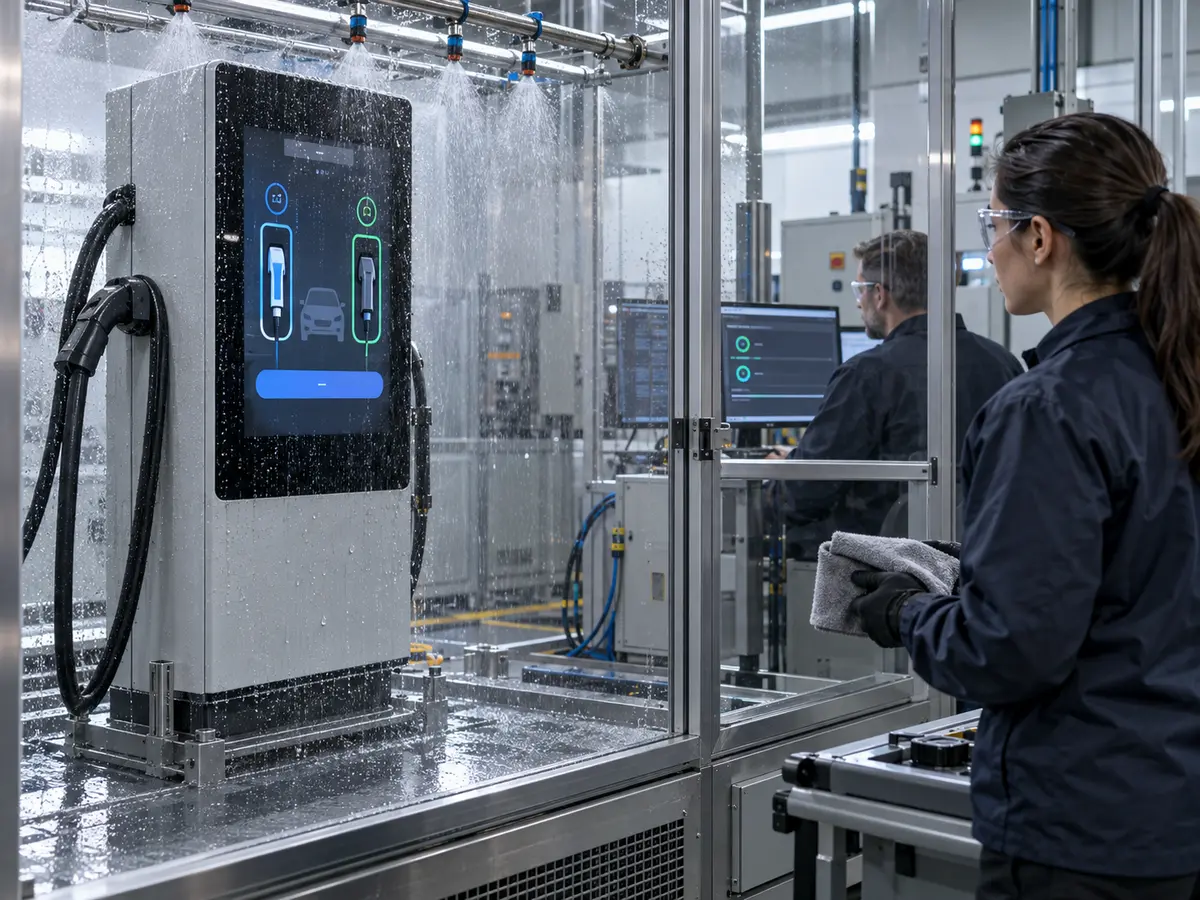
For the charger manufacturer, the purchasing requirement is more specific than waterproof touch or glove support. It needs to identify the permitted glove, surface-water condition, cover construction, required actions, and acceptable response. Those details connect a touch-controller claim to a sample that engineering and procurement can approve.
Quick Answer: Specify EV charger touchscreen rain and glove performance as a set of tested operating conditions. Identify glove material and condition, water type and coverage, glass thickness and coatings, installation angle, required controls, grounding, electrical environment, and host software. Evaluate missed inputs and unintended inputs separately, including what happens when water prevents reliable touch. Approve the production sensor, controller, firmware, glass, bonding, cables, enclosure, and UI together. A sealed front, a capacitive technology label, or an isolated controller specification does not prove usable wet and gloved operation.
Claim: Rain and glove capability is an operating result of the complete touchscreen and charging interface, not a feature inherited from one component.
1. What Should Rain and Glove Support Mean for the Driver?
A driver needs a dependable way to complete a charging action. Detecting a fingertip somewhere on wet glass is not sufficient if the screen selects an adjacent outlet, repeats a command, or stops accepting input without explanation.
Direct answer: Define the intended user action, glove, water condition, maximum acceptable response time, feedback, and behavior when input cannot be trusted. Test deliberate recognition and rejection of unintended contact as separate obligations.
Which Charging Actions Need to Remain Available?
List the actual tasks: selecting a connector, choosing a language, following authentication instructions, acknowledging a message, or requesting a permitted stop. Include any service action exposed through a separate access level.
Do not require multi-finger gestures just because a controller supports them. A charger using large single-touch controls may need different validation from one displaying a map with pinch and drag.
How Should Gloves Be Described?
Record glove model, material, construction, fit, and whether it is dry or wet. Include representative cold-weather or work gloves actually expected at the site, rather than an unspecified glove selected only because it works.
Thickness alone is incomplete. The electrical properties, layers, air space around the finger, and contact geometry can differ. A supplier claim for one glove should not be extended to every glove of similar thickness.
What Does Operation in Rain Require?
Separate stationary droplets, moving drops, runoff, a continuous film, and a wet finger. Identify which conditions the product must support and which may trigger a documented temporary restriction.
Water composition and surface residue can change touch behavior. Use defined test liquids and contamination states selected for the application; a clean-water demonstration does not represent every cleaner residue or road-side deposit.
How Should Missed and Unintended Inputs Be Balanced?
A tuning change that detects weaker gloved contact can also affect the margin for rejecting disturbances. The correct result needs both reliable intended selection and rejection of water-generated or otherwise unintended input.
Record errors by type rather than report one overall touch-success percentage. A missed language selection and an unintended stop request have different consequences and need different application responses.
What Should Happen When Water Blocks Reliable Input?
The OEM should define whether the system temporarily inhibits input, provides a message, or offers another supported interaction route. The touchscreen supplier should identify available controller behavior, while the application owner defines the charging response.
Recovery matters as much as inhibition. Test when normal input returns after runoff or wiping, and confirm that stale touches are not delivered as new commands after the condition clears.
| Condition | Intentional Action | Rejection or Recovery Check |
|---|---|---|
| Dry approved winter glove | Select the intended connector once | No adjacent selection or unintended repeat |
| Moving water droplets, no user | None | No uncommanded navigation or action |
| Approved wet glove and defined droplets | Complete a required permitted action | Required response and feedback remain available |
| Water coverage beyond supported operation | Follow the specified unavailable-input path | Controlled inhibition and predictable recovery |
Claim: A usable requirement specifies which actions must work, which false actions must be rejected, and how unavailable input is communicated.
2. Which Parts of the Touch Stack Must Be Selected Together?
The touch surface is part of a layered assembly. Changing the glass, adhesive, sensor, controller, or nearby metal can change performance even if the LCD and its displayed image remain identical.
Direct answer: Select sensor geometry, controller, firmware, cover materials, bonding, frame clearances, and touch interface as one configuration. Validate the thickest and most demanding approved stack rather than approve a thinner development sample.
When Is PCAP a Suitable Starting Point?
Projected capacitive touch can support a continuous glass front, custom printing, and supported gestures. Suitable controllers and tuning can provide glove and liquid-handling capabilities, but those capabilities have construction and operating limits.
Ask for evidence on the proposed sensor and glass, not only a controller-family brochure. A capability demonstrated on a different screen size or electrode arrangement may need new development.
Where Can Resistive Touch Still Be Relevant?
Pressure-based input can suit a defined single-touch interface, a service terminal, or an existing charger whose design already uses resistive touch. Required force, operating surface, optics, edge sealing, and wear need review.
It should not be treated as automatically immune to every wet or electrical condition. The general technology comparison is covered in Resistive vs Capacitive Touch Screens: Making the Right Choice for Your Application.
How Does Cover Glass Change the Touch Requirement?
Thickness, dielectric materials, adhesive layers, printing, and sensor placement influence the sensing conditions. More protective glass may make the required gloved contact harder to detect in a particular PCAP construction.
Confirm the intended glass drawing before final tuning. Glass thickness by itself also does not establish impact approval; support, edge condition, mounting, and the specified assembly test remain relevant.
What Do Coatings and Bonding Change?
Surface treatment can change how water spreads or forms droplets, which changes the condition seen by the touch system. Bonding materials and layer thicknesses also belong in the controlled construction.
Test the delivered stack, including representative cleaning and surface condition. Optical bonding can improve the optical path, but it does not independently prove wet-touch performance or make every perimeter and rear connection watertight.
Why Are Edge Controls and Metal Borders Important?
Water can collect at a bezel, and metal near the sensor can affect the installed sensing environment. A button close to the visible edge may therefore be harder to use than a central laboratory target.
Align the active touch area, printed window, metal opening, gasket, and application targets. Include corners and controls beside physical payment hardware in the sample review.
Claim: Glove and rain approval applies to the specified touch stack and firmware; glass and mechanical changes require an evidence review.
3. Why Can Touch Performance Change after Installation in the Charger?
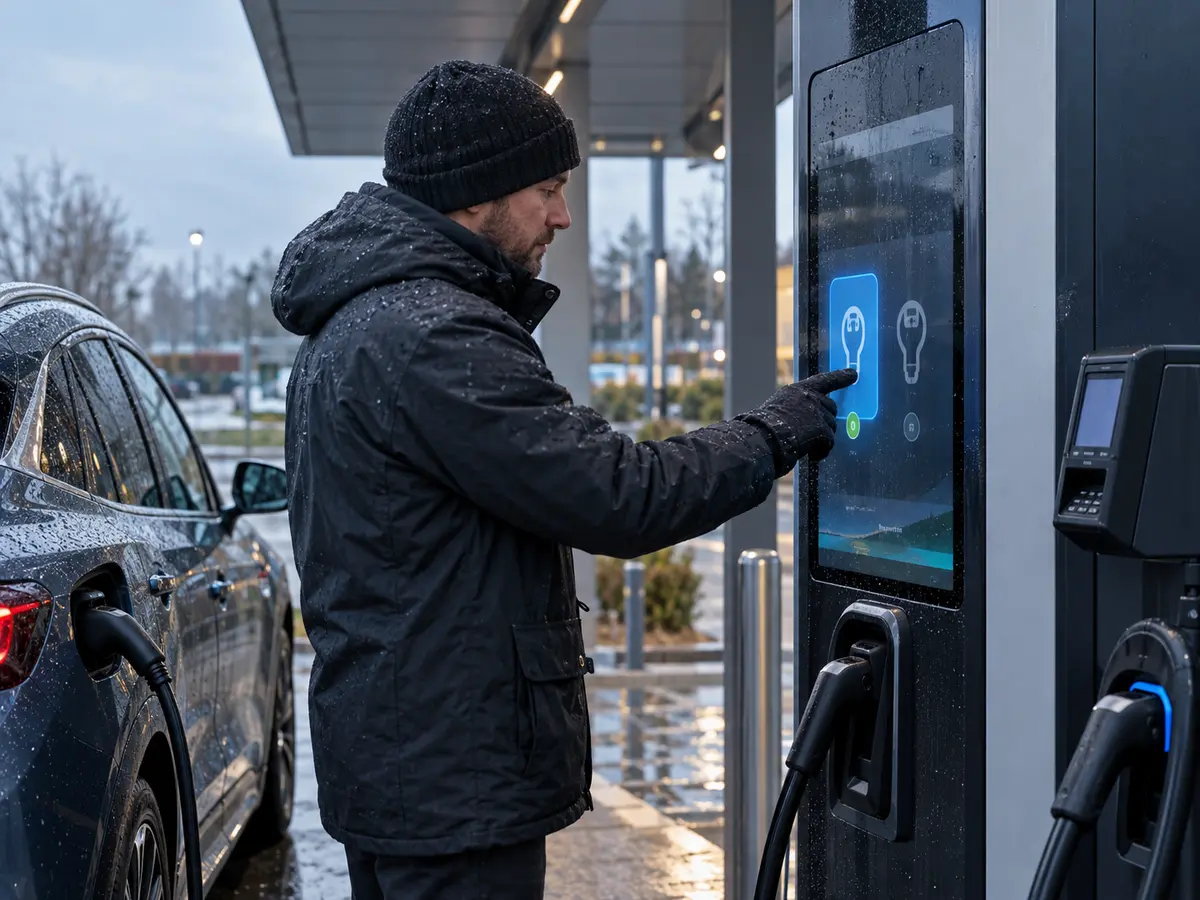
A bench sample may operate from a separate supply, use a short cable, and sit away from power electronics. Installing it in the charger changes grounding, noise exposure, nearby metal, harness routing, and software behavior.
Direct answer: Verify the touchscreen with the production low-voltage supply, grounding arrangement, LCD, cables, host, enclosure, and relevant charging states. Separate sensor detection from the application's handling of that detection.
Which Operating States Should Be Represented?
Include idle operation, startup, active charging, relevant power-stage transitions, fan operation, and communication or peripheral activity. Use the operating combinations identified by the charger's electrical design and qualification plan.
A successful test with charging power disabled does not establish coexistence during power conversion. Record the state in which a missed or false touch appears so the investigation can be repeated.
How Should Grounding and Cable Routing Be Reviewed?
Use the controller supplier's integration guidance for grounding, shielding, cable construction, and separation. Review the touch tail and host cable alongside the LCD, switching supplies, metalwork, and other harnesses.
Do not improvise protective-earth changes to solve a touch symptom. The responsible electrical designer should approve any grounding change and evaluate its consequences for safety and EMC.
Can Host Communication Look Like a Touch-Sensing Fault?
Yes. A sensor may recognize contact while a host driver, USB connection, I²C transaction, or application fails to handle the event. Rotation or coordinate mapping can also turn a correct detection into the wrong on-screen selection.
Log controller and host events where available. Check enumeration, reset, suspend or wake behavior where used, cable interruption, and restart so the touch subsystem returns predictably after disturbances.
How Should the UI Respond to Repeated Touches?
Give clear feedback that distinguishes contact detection, accepted selection, and completion of a charging action. A driver who receives no feedback may keep tapping while the application waits for a backend response.
The software should handle duplicates and delayed responses according to the product design. Increasing sensor sensitivity cannot repair an application that queues repeated commands or shows the wrong connector state.
Where Does Payment Security Fit?
Some charger architectures use a separate payment device, while others may integrate payment-related input into the main touchscreen. The latter requires a specifically engineered security architecture and relevant assessment.
Ordinary wet-touch or glove capability is not proof of payment approval. Identify the input functions and security responsibilities before selecting controller firmware or assuming a standard touch assembly can replace a payment terminal.
Claim: The installed charger must preserve a valid path from intentional contact through touch communication to correct application feedback.
4. How Should OEMs Accept a Rain-and-Glove Touch Sample?
The acceptance record should make a supplier demonstration repeatable. It needs the sample configuration, environmental conditions, required actions, observation period, error categories, and recovery behavior.
Direct answer: Run a defined matrix of dry, wet, gloved, combined, and no-user conditions on the production-representative assembly. Check unsupported conditions and recovery, then preserve the approved construction and firmware through production.
What Must Be Recorded before Testing?
Identify the sensor, controller, firmware revision, tuning file where applicable, glass, coatings, bonding, cable set, host software, and grounding. State installation angle and the location of relevant metal.
Define water application, glove samples, temperature, required gestures, and acceptance criteria in advance. A percentage without the number and distribution of attempts is difficult to interpret or reproduce.
Why Is a No-User Water Test Necessary?
A system can register deliberate taps successfully while also producing unwanted input between them. Apply the defined water condition without a user and observe navigation, selections, contact reports, and application actions.
Continue observation during runoff and changing coverage. A moving droplet can produce a different sensing condition from a stationary drop used in a short demonstration.
How Should Combined Glove and Water Conditions Be Tested?
Test the combinations the product promises, including approved wet gloves where required. Passing dry-glove operation and passing bare-finger wet operation separately does not prove their combination.
Distribute actions across the screen and use different representative users. Record misses, wrong coordinates, duplicate events, response delay, and any need to remove the glove or wipe the screen.
What Should Wiping and Recovery Tests Include?
Use the approved cleaning method and verify the expected maintenance or input-inhibition state during wiping. Check the behavior while a cloth contacts several areas and after residual water remains.
Measure return to normal input after the defined condition clears, including restart where the plan requires it. A touchscreen needing an undocumented manual reset has not demonstrated automatic recovery.
What Should Remain Fixed after Approval?
Control controller and sensor revisions, firmware settings, glass and coating, adhesives, cable routing, host mapping, and relevant enclosure details. Define how production identifies and verifies that configuration.
Review alternate components and service replacements against the approved evidence. A similar sensor or visually identical glass can change performance; a purchasing substitution should not bypass engineering review.
Claim: Approval should cover intended input, absence of unintended input, combined conditions, and recovery on a traceable production configuration.
5. What Advantages Does XIANHENG Offer for EV Charger Touchscreen Projects?
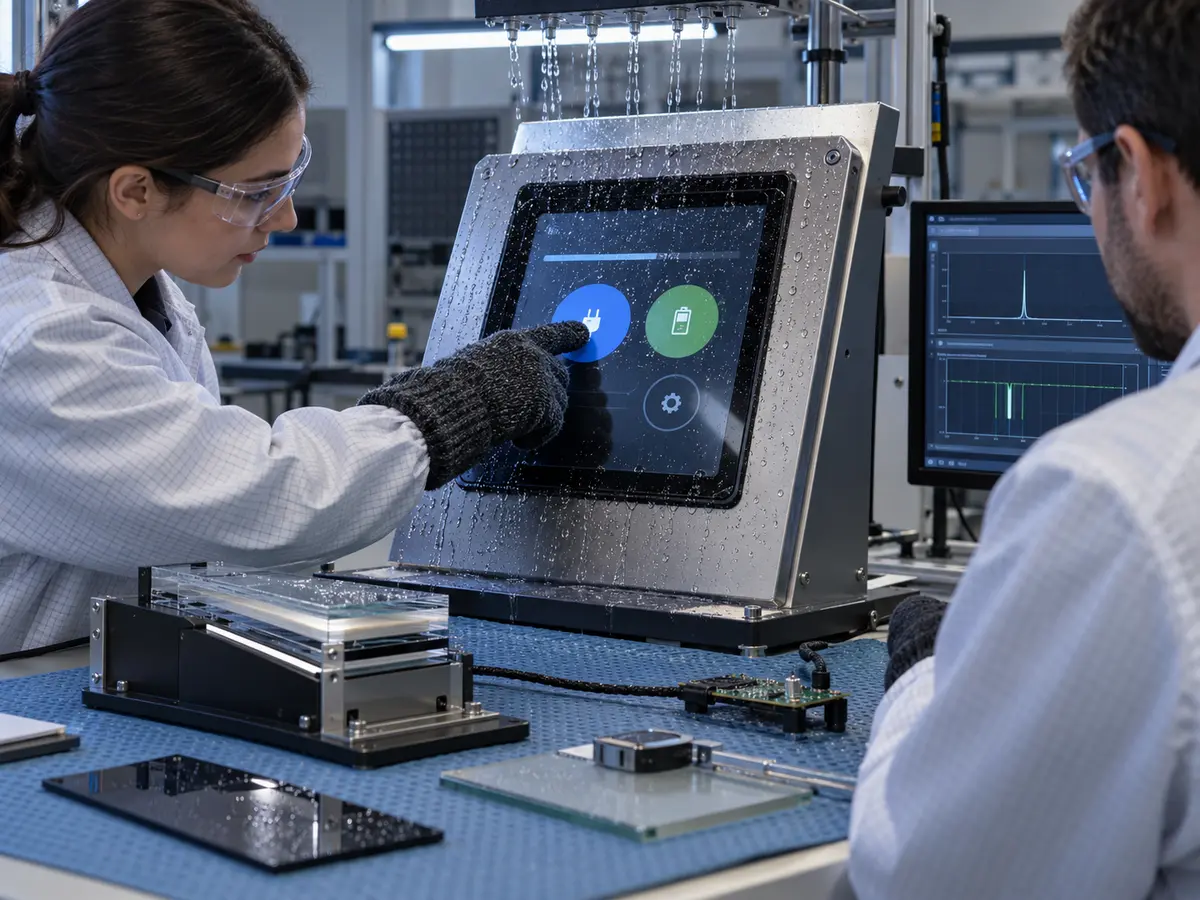
XIANHENG supports charging-equipment OEMs sourcing LCDs with touch, customized glass, bonding, controllers, and cables. Development can start from a new front-panel design or a touch problem found after installation.
Direct answer: XIANHENG can coordinate supported PCAP or resistive touch options with industrial LCDs, controller firmware, cover construction, bonding, drawings, cables, and samples. Required rain and glove performance must be confirmed for the agreed configuration. Charger software, payment security, electrical safety, enclosure approval, and equipment qualification remain with the responsible OEM and relevant partners.
How Can Glove and Water Requirements Be Reviewed?
Provide the intended glove samples, water conditions, charging pages, installation angle, screen size, glass drawing, host, and operating states. These inputs help identify whether a supported standard option or further sensor and controller development should be evaluated.
The review should produce defined sample conditions and acceptance responsibilities. An unspecified requirement for all-weather touch is not enough to approve one configuration.
Can Glass, Touch, and LCD Be Supplied Together?
Supported scope can align the LCD active area, touch sensor, controller, printed window, glass thickness, edge treatment, holes, adhesive regions, coatings, and bonding method. Mechanical drawings can make alignment and installation interfaces reviewable.
Starting LCD options are available through the Industrial LCD Product Collection. Final touch suitability depends on the chosen stack and host conditions.
How Can Samples Support Tuning and Validation?
A sample can include the intended LCD, touch, glass, controller, firmware, bonding, and cables. Initial checks establish image operation, coordinates, orientation, and the delivered configuration.
The OEM can then run the agreed rain-and-glove matrix inside the charger and record input events and application behavior. Supported display-side findings can guide revisions before production approval.
What Helps Investigate an Installed Touch Problem?
Send original component models, firmware information, photographs, glass details, grounding and cable drawings, host logs, and a description of when the failure occurs. Distinguish missed contact, false input, coordinate error, communication loss, and delayed application response.
XIANHENG can review supported component and integration options. Changing the touchscreen should follow the identified cause rather than assume every symptom comes from the sensor.
What Information Should Start the Project?
Useful inputs include charger type, screen role, size, resolution, required controls, glove samples, defined liquids, glass construction, host interface, electrical environment, operating temperature, acceptance criteria, quantity, schedule, and service-life target.
To discuss an EV charger touchscreen, glove-operable touch assembly, customized cover glass, bonded LCD stack, controller integration, or replacement project, please reach out to XIANHENG.
Claim: XIANHENG supports EV charger touch development by connecting defined user conditions with a controlled sensor, glass, controller, LCD, cable, and sample configuration.


