
Oil and gas display maintenance has to address more than ordinary fingerprints. Dust, salt, oil mist, drilling residue, hydraulic fluid, rain marks, cleaning chemicals, and airborne process contamination can build up on the viewing window, bezel, enclosure joints, and cable entries.
Cleaning restores visibility, but maintenance has a wider purpose. It should detect cracked glass, lifted seals, loose fasteners, cable damage, corrosion, moisture paths, abnormal backlight behavior, touch drift, and other changes before they develop into an HMI failure.
The correct procedure depends on the completed equipment. A bare LCD datasheet cannot define how to clean a bonded touchscreen inside a sealed operator station, and an IP rating does not authorize every solvent, brush, steam process, or pressure-washing method. Site safety rules, equipment instructions, material compatibility, and the assessed configuration must govern the work.
Quick Answer: Clean an oil and gas display only with the approved equipment procedure and compatible materials. Confirm the operating and isolation conditions, remove loose particles without scratching the surface, apply the permitted cleaner to a soft lint-free cloth rather than flooding the HMI, wipe with controlled pressure, dry the surface, inspect glass and seals, and complete the required functional check. Maintenance should also examine mounting, cable entries, connectors, touch operation, brightness, image quality, communications, and signs of moisture or corrosion. Damage, unauthorized substitutions, or hazardous-area concerns require engineering review rather than an improvised field repair.
Claim: Effective display maintenance combines approved cleaning, physical inspection, functional verification, documentation, and controlled repair; a clear screen alone does not prove that the HMI remains sealed, reliable, or compliant.
1. Why Do Oil and Gas Equipment Displays Need Planned Maintenance?
An HMI can continue operating while its condition gradually deteriorates. A scratched anti-glare surface, compressed gasket, corroded connector, dim backlight, or intermittent touch fault may not stop production immediately, but it can reduce readability and make the next environmental or power event more difficult to withstand.
Direct answer: Planned maintenance keeps the viewing and touch surfaces usable, identifies developing mechanical and electrical faults, preserves the intended enclosure construction, and creates records for repair and replacement decisions. The interval should be based on contamination rate, operating duty, environment, equipment instructions, site risk, and inspection history.
Which Contaminants Commonly Reach the HMI?
Possible contaminants include mineral dust, sand, salt deposits, soot, oil mist, grease, hydraulic fluid, drilling mud, fuel residue, process chemicals, rainwater, condensation marks, sunscreen, and material transferred from work gloves. Indoor control stations may also collect ordinary dust and cleaning residue.
Each substance behaves differently. Hard particles can scratch a coating when dragged across the glass, salt can retain moisture, oil can lower contrast and spread across touch targets, and an incompatible chemical can soften ink, stain a coating, swell a gasket, or weaken adhesive.
How Can Contamination Affect Readability and Touch?
A surface film increases reflection and scatters light, making a bright display appear washed out. Residue can hide alarm colors, labels, thin trend lines, or small status symbols even when the LCD and backlight remain functional.
Water, salt, conductive residue, oil, and thick deposits can change projected-capacitive touch behavior. They may cause missed input, coordinate movement, false touch, or deliberate touch rejection by the controller. Resistive touch can also become difficult to use if contamination increases surface drag or damages the flexible top layer.
Why Can Incorrect Cleaning Cause Permanent Damage?
Abrasive cloths, hard brushes, dirty wiping materials, metal tools, and aggressive polishing can scratch glass or optical coatings. Strong solvents can attack printed borders, plastics, seals, conformal treatments, touch layers, or the adhesive used around the window.
Excess liquid can enter around a damaged edge or collect at a bezel joint. High-pressure spray can drive water past a seal whose equipment rating was established under different test conditions. Damage may appear later as delamination, discoloration, touch instability, corrosion, or condensation.
How Often Should a Display Be Cleaned and Inspected?
There is no universal weekly or monthly interval. A protected control-room monitor and an outdoor loading-station HMI have different contamination rates and consequences. Cleaning can be condition-based, while formal inspection may follow the equipment maintenance plan and regulatory requirements.
Use initial inspections to establish a baseline, then adjust the interval from actual findings. Repeated salt deposits, gasket movement, loose connectors, touch complaints, or rapid loss of brightness justify a shorter interval or an engineering correction rather than endless cleaning.
What Should Be Recorded During Routine Maintenance?
Record the equipment identifier, location, date, operating hours where available, person performing the work, surface condition, cleaner and cloth used, observed defects, functional results, photographs, parts replaced, and follow-up action. Include ambient or process conditions when they help explain the finding.
Claim: Maintenance intervals should follow actual contamination, deterioration, operating importance, manufacturer instructions, and inspection evidence—not an arbitrary calendar or the assumption that a functioning image means the assembly is healthy.
2. How Should Engineers Clean the Display Front Safely?
Cleaning instructions should be written for the finished front stack: cover glass or overlay, coating, printed ink, touch sensor, adhesive, gasket, bezel, housing, and any exposed controls. The approved method may differ between two HMIs using the same LCD panel.
Direct answer: Confirm that the procedure is authorized, identify the contamination, use the specified personal protective equipment, place the equipment in the required operating or isolated state, remove loose particles gently, use only an approved cleaner and cloth, avoid flooding edges, and inspect the dry surface. Never select a solvent solely because it removes the residue quickly.
What Should Be Confirmed Before Cleaning Starts?
Review the equipment manual, site procedure, cleaner compatibility, classified-location status, process hazards, required PPE, permitted operating state, and whether touch input must be locked. Determine whether the surface is ordinary glass, coated glass, plastic, resistive touch film, or another construction.
If cleaning could activate controls, use the approved cleaning mode, screen lock, or equipment isolation procedure. A visual HMI lock is not a substitute for lockout, process isolation, or other safety controls when the task requires them.
How Should Loose Dust and Hard Particles Be Removed?
Dragging sand or mineral dust under a cloth can create fine scratches. Remove loose material with the approved low-contact method before wet wiping. The method must not introduce unsafe compressed air, static charging, contamination into enclosure openings, or particle movement toward personnel.
Use clean, soft, lint-free materials reserved for optical surfaces. Replace the cloth when it becomes loaded. A reused shop rag can carry metal particles, grease, or solvent residue from unrelated maintenance work.
How Should an Approved Liquid Cleaner Be Applied?
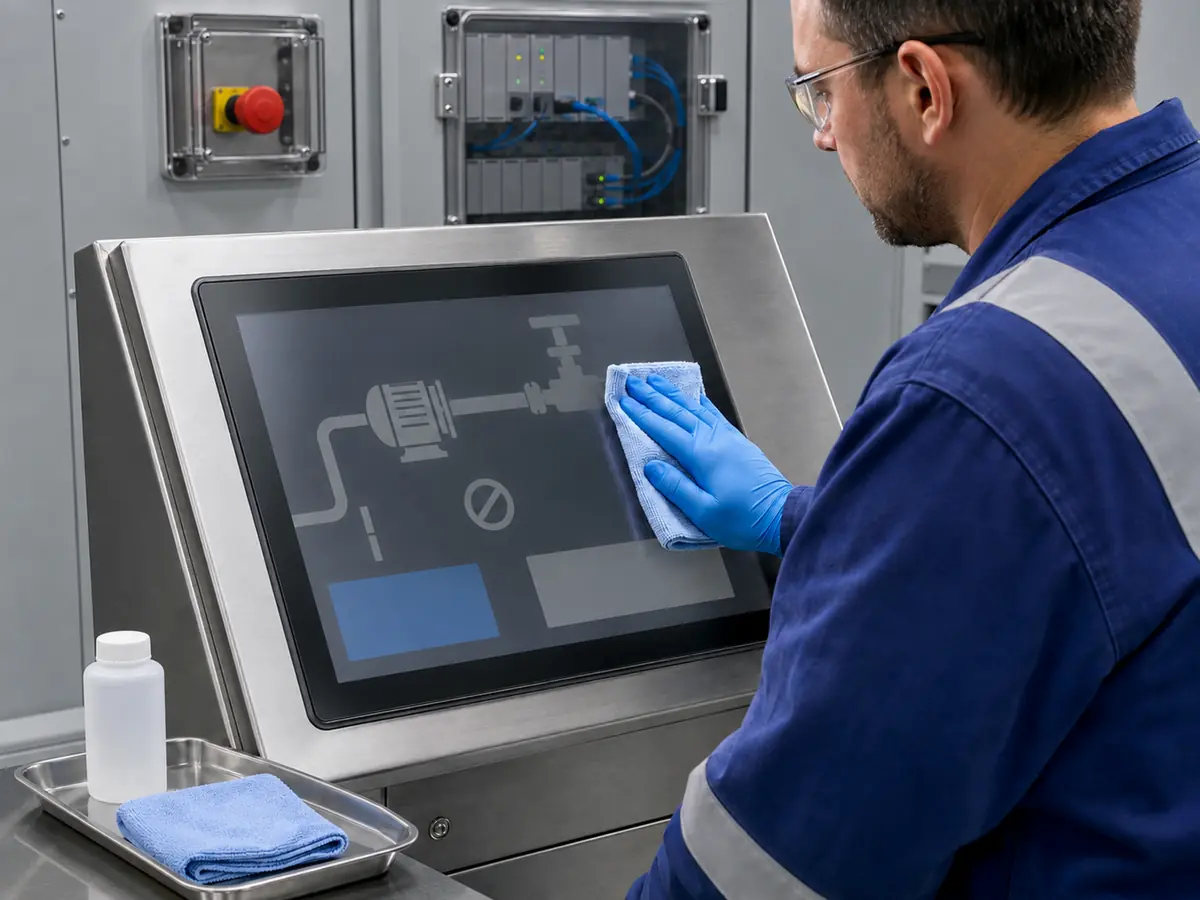
Apply the permitted amount to the cloth unless the equipment instructions explicitly specify another method. The cloth should be damp enough to lift contamination without allowing liquid to run into edges, switches, speakers, ventilation paths, or enclosure joints.
Wipe with controlled pressure and a consistent pattern, changing to a clean area of the cloth as contamination transfers. Dry the surface if required and examine it from more than one viewing angle for haze, streaks, remaining particles, coating damage, or liquid at the perimeter.
Which Cleaning Methods Should Be Avoided?
Avoid unapproved abrasive pads, powders, razor blades, metal scrapers, stiff brushes, concentrated solvent, bleach, strong acid or alkali, steam, and high-pressure spray. Do not assume that alcohol, detergent, hydrocarbon solvent, or disinfectant is compatible with every glass coating, ink, gasket, adhesive, or touch construction.
Do not mix cleaners or transfer an unidentified liquid into an unmarked bottle. Chemical handling, ventilation, storage, and disposal should follow the product safety data and site procedure as well as the display manufacturer's material limits.
How Should Oil, Salt, or Chemical Residue Be Handled?
Identify the material before selecting the cleaning process. Salt may require a compatible method that removes the deposit rather than spreading it into joints. Oily residue may need repeated light passes with fresh cloth sections. Unknown process contamination may require the site's industrial hygiene or chemical-safety review.
After a spill or unusual exposure, inspect seals, coatings, printed borders, plastics, and adhesive edges instead of checking only visual clarity. Related material risks are reviewed in How Does Chemical Exposure Affect Oil and Gas Equipment Displays?.
How Should Frost or Condensation Be Addressed?
Do not scrape a cold display with a hard tool or apply an abrupt temperature change unless the equipment procedure permits it. Mechanical force and thermal shock can damage glass, coatings, seals, or the LCD stack.
Condensation behind the external surface indicates a moisture or thermal-management issue rather than a routine cleaning problem. Record the condition, protect the equipment as required, and investigate sealing, vents, cable entries, heaters, temperature cycling, and internal humidity before returning it to normal service.
| Observed Condition | Controlled Response | Avoid |
|---|---|---|
| Loose dust or sand | Approved low-contact removal before wiping | Grinding particles under a dry cloth |
| Fingerprints or light soil | Approved cleaner on a lint-free cloth | Flooding the glass or bezel edge |
| Oil or grease film | Compatible process with fresh cloth sections | Unverified strong solvent |
| Salt deposit | Remove with the approved material-specific method | Brushing crystals into enclosure joints |
| Unknown chemical | Identify, review safety data, and assess materials | Mixing cleaners or trial-and-error wiping |
| Internal condensation | Investigate moisture path and thermal design | Treating it as an external stain |
Claim: A safe cleaning method is specific to the contamination and finished material stack; it removes residue without scratching coatings, attacking materials, forcing liquid through joints, creating static risk, or activating equipment controls.
3. What Should Be Inspected Beyond the Visible Surface?
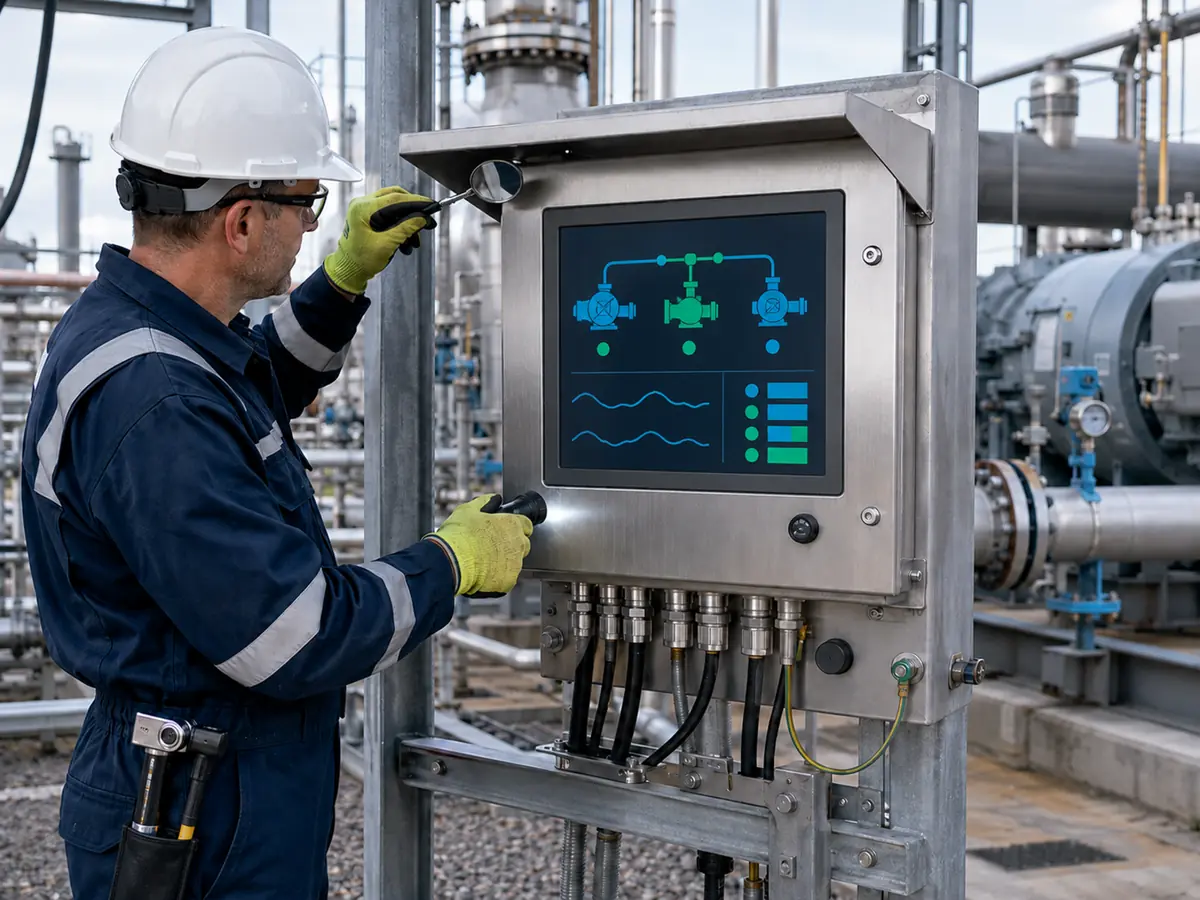
The front window is only one part of the display subsystem. Routine inspection should follow the physical path from the operator surface through the enclosure and mounting to the power, video, touch, and communication connections.
Direct answer: Inspect the glass and coating, printed border, bonding edge, bezel, gasket, adhesive, enclosure joints, mounting hardware, cable entries, connectors, strain relief, grounding and shielding features, image, backlight, touch, controls, and communications. Compare findings with the approved drawings and baseline condition.
What Glass and Optical Defects Matter?
Look for cracks, chips, deep scratches, impact marks, haze, coating wear, discoloration, bubbles, delamination, lifted edges, trapped moisture, pressure marks, and a shifted viewing window. Examine the perimeter because damage can begin under a printed border or bezel.
A small edge chip may be more significant than a superficial center scratch if it affects retention, sealing, touch traces, or crack growth. Do not cover a defect with film or adhesive unless that repair is specifically approved.
How Should Gaskets, Adhesives, and Seals Be Checked?
Inspect for gaps, uneven compression, hardening, swelling, cuts, extrusion, shrinkage, lifting, contamination, and loss of adhesion. Witness marks or a change in bezel position can indicate movement caused by vibration, thermal cycling, or incorrect fastener torque.
Ingress protection belongs to the completed enclosure, not the LCD. Replacing a gasket with similar-looking foam or adding sealant in the field can change compression, chemical compatibility, drainage, serviceability, and the assessed construction. The boundary is explained in What IP Rating Do Oil and Gas Equipment Displays Need?.
Which Mechanical Items Need Inspection?
Check the enclosure, frame, mounting bracket, fasteners, hinges, latches, sunshade, protective guard, and surrounding panel for deformation, looseness, corrosion, cracking, or contact with the display stack. Verify that cables do not pull on connectors or press against sharp edges.
Do not retighten every fastener by feel. Use the specified hardware, sequence, and torque where controlled. Excess compression can distort the LCD or touch sensor, while insufficient retention can allow movement and open a sealing path.
How Should Cables, Connectors, and Entries Be Inspected?
Look for damaged jackets, tight bends, abrasion, broken shielding, corrosion, loose locks, backed-out contacts, poor strain relief, and unsupported cable weight. At entries, check the approved gland or fitting, sealing surface, thread engagement, bonding, unused openings, and environmental damage.
Intermittent video or touch should not be diagnosed by moving energized connectors unless the equipment procedure permits it. Isolate the equipment as required, document the original routing, and verify continuity or replacement against the controlled cable drawing.
Which Functional Checks Should Follow Cleaning?
Confirm startup, native resolution, image stability, colors, brightness range, day and night settings, viewing angle, backlight uniformity, alarms, communication status, and recovery after the supported restart sequence. Check for flicker, vertical or horizontal lines, retained patterns, abnormal heat, or intermittent link loss.
For touch, test representative targets, edges, dragging, numeric entry, rotation, gloves, and permitted wet-surface behavior. Verify that cleaning mode or input lock has been removed and that no unintended command was recorded.
When Should Internal Inspection Be Escalated?
Internal condensation, burnt odor, corrosion, loose internal parts, repeated resets, abnormal temperature, damaged window retention, liquid ingress, or loss of sealing requires controlled escalation. Opening an enclosure can expose electrical, process, stored-energy, and hazardous-area risks.
Only authorized and competent personnel should open, test, or repair the assembly under the applicable procedure. Preserve evidence before cleaning internal contamination because the deposit pattern can help identify the entry path or failed component.
Claim: A display passes maintenance only when its optical, touch, mechanical, sealing, cable, electrical, software, and communication functions remain within the controlled equipment requirements.
4. How Should Maintenance, Repair, and Return to Service Be Controlled?
Routine cleaning, inspection, component replacement, repair, modification, and overhaul are different activities. Each can require different authorization, competence, documentation, testing, and certification review. Calling every activity “maintenance” can hide a material change to the approved equipment.
Direct answer: Define task boundaries, competent personnel, isolation requirements, approved tools and parts, inspection criteria, post-work tests, records, and escalation rules. Return the HMI to service only after protective features, enclosure construction, image, touch, communications, alarms, settings, and required compliance evidence have been confirmed.
How Should Routine Inspection Differ from Repair?
Routine inspection observes condition and may include approved cleaning or simple scheduled actions. Repair corrects a defect and may change parts, materials, settings, or construction. A cracked window, failed touch sensor, damaged gland, lifted bond, or corroded circuit normally exceeds surface cleaning.
The work order should classify the activity before disassembly. This determines who can perform it, which drawings and parts apply, what testing is required, and whether the responsible equipment or certification authority must review the result.
How Do Hazardous-Area Rules Change Maintenance?
Equipment installed in a classified location must remain within its protection concept, certificate conditions, installation rules, and site program. Cleaning instructions may include electrostatic precautions, while opening, isolating, testing, and reassembling the enclosure can require additional permits and competent personnel.
IEC 60079-17 addresses inspection and maintenance factors for relevant hazardous-area electrical installations. IEC 60079-19 addresses repair, overhaul, and reclamation of Ex equipment. The applicable jurisdiction, certificate, site rules, and responsible parties determine how these requirements apply to a particular HMI.
Why Must Replacement Parts Remain Under Configuration Control?
Control the LCD model and revision, touch sensor, controller, firmware, cover glass, coating, ink, bonding material, gasket, adhesive, cable, connector, gland, fastener, power component, label, and assembly process. Same size or connector shape does not establish equivalence.
A substitute can change heat, power, backlight, interface timing, window stress, touch tuning, surface material, sealing, or hazardous-area evidence. Obtain engineering approval and complete the affected tests before installation in production or field equipment.
What Should Be Tested Before Return to Service?
Check assembly condition, required fastener torque, seals, cable entries, grounding or bonding, labels, covers, and removal of tools or temporary protection. Then verify startup, image, brightness, touch, physical controls, communication, alarms, settings, time, logs, and recovery after the permitted power sequence.
Use production software and representative operator tasks. If the work affected sealing, thermal paths, EMC controls, hazardous-area construction, or a safety-related function, complete the additional inspection or validation defined by the responsible engineering and certification plan.
How Can Maintenance Records Improve Reliability?
Trend recurring defects by equipment model, location, exposure, operating hours, cleaner, replaced part, and failure mode. Repeated seal damage may indicate an enclosure tolerance problem; repeated cable faults may reveal inadequate restraint; recurring haze may show chemical incompatibility.
Use the data to change inspection intervals, improve drawings, revise cleaning instructions, add protection, qualify a stronger material, or plan replacement. Maintenance information should feed product engineering rather than remain isolated in work orders.
When Should the Display Assembly Be Replaced?
Replacement may be appropriate when glass is cracked, sealing cannot be restored, touch is unreliable, brightness no longer meets the task, corrosion has reached critical interfaces, bonding has failed, parts are unavailable, or repair cannot preserve the controlled construction.
The replacement decision should consider mechanics, interface, resolution, power, backlight, touch, software, thermal behavior, enclosure, compliance evidence, supply life, and required requalification. A visually similar module is not automatically a drop-in field replacement.
Claim: Controlled return to service requires the correct task classification, competent personnel, approved parts, documented assembly, functional testing, and any engineering or certification review triggered by the work.
5. What Advantages Does XIANHENG Offer for Oil and Gas Display Projects?
XIANHENG supports displays for drilling controls, well-service equipment, analyzers, pump and compressor packages, metering skids, pipeline stations, loading systems, refineries, offshore machinery, maintenance terminals, and remote HMIs. Support can begin with a new maintainable design or an installed display that needs replacement.
Direct answer: XIANHENG can coordinate industrial TFT LCD selection, PCAP or resistive touch, customized cover glass, optical bonding, controller boards, firmware, cables, drawings, samples, inspection requirements, replacement comparison, and lifecycle planning. Customers can review starting points in the Industrial LCD Product Collection. Final maintenance procedures, chemical approval, enclosure qualification, hazardous-area conformity, functional safety, and return-to-service decisions remain with the responsible equipment and site parties.
How Can XIANHENG Support a Maintainable Front Design?
Cover-glass drawings can coordinate the viewing window, printed border, thickness, edge treatment, coating, adhesive area, gasket land, enclosure opening, and touch tail. The design can consider cleaning access, liquid runoff, protected edges, fastener clearance, and replacement strategy.
Can XIANHENG Help Review Cleaning Compatibility?
Customers can identify the expected contaminants, proposed cleaning agents, wiping materials, frequency, temperature, and front-stack materials. Available supplier information can be collected, and project-specific compatibility samples can be prepared where appropriate.
Can Touch, Glass, and Bonding Be Replaced Together?
A controlled TP-plus-LCM assembly can keep the LCD, touch sensor, controller, cover glass, bonding, orientation, cable position, and touch mapping together. This can reduce uncertainty compared with replacing one layer in the field without a validated process.
How Can XIANHENG Support an Obsolete Display Replacement?
Customers can provide the original LCD, touch, controller, cable, glass, drawings, photographs, software resolution, failure symptoms, certification-controlled parts, annual demand, and expected service period. XIANHENG can compare candidates across mechanics, optics, interface, power, backlight, touch, temperature, and availability.
If no direct replacement exists, the project can define a controlled redesign and identify affected brackets, glass, cables, firmware, software scaling, thermal behavior, sealing, inspection, and qualification evidence.
What Information Should Customers Send to Start?
Useful inputs include the equipment type, display location, contamination, cleaning procedure, glass and coating, touch method, enclosure drawing, IP requirement, classified or non-classified location, temperature, vibration, chemical and salt exposure, original display, observed damage, maintenance interval, annual quantity, schedule, and lifecycle target.
To discuss an oilfield HMI, offshore touchscreen, customized front glass, bonded display, controller and cable set, maintenance replacement, or obsolete LCD, please reach out to XIANHENG.
Claim: XIANHENG can support a maintainable display subsystem through controlled panels, touch, glass, bonding, controllers, cables, samples, replacement analysis, and supply planning while keeping site maintenance and final equipment responsibilities clearly defined.


