
Semiconductor manufacturing equipment controls processes measured at extremely small scales, but technicians still need a practical way to observe and manage the physical machine. Industrial LCDs provide the local interface for process status, wafer handling, alarms, maintenance, calibration, recipes, and equipment diagnostics.
Quick answer: Semiconductor machines require industrial LCDs because their displays must support continuous operation, long equipment lifecycles, stable interfaces, precise visual information, industrial touch control, electromagnetic compatibility, and integration into specialized equipment enclosures.
Semiconductor equipment may be connected to a factory host system through SECS/GEM or other automation protocols. Centralized communication does not remove the need for a local human-machine interface. Operators and service engineers still need direct access when installing the machine, changing consumables, checking alarms, performing preventive maintenance, or recovering the equipment after a fault.
A standard consumer monitor can display the same pixels, but it may not meet the mechanical, electrical, thermal, lifecycle, and service requirements of semiconductor manufacturing equipment. The difference becomes especially important when the display is integrated into a machine expected to remain in production for many years.
After more than ten years of working with industrial LCD projects, we have found that the display should be selected as part of the equipment architecture. The LCD, touchscreen, cover glass, controller, cables, enclosure, software interface, cleaning method, and replacement plan must be reviewed together.
Claim: An industrial LCD in semiconductor equipment is not simply a monitor. It is part of the machine’s control, maintenance, diagnostics, and long-term service system.
1. What Functions Do Industrial LCDs Perform in Semiconductor Machines?
Semiconductor manufacturing covers wafer processing, inspection, metrology, material handling, packaging, and testing. Each process uses different equipment, but most machines need a local interface for operation and service.
Direct answer: Industrial LCDs show process status, machine states, wafer and carrier information, alarm records, recipes, sensor data, diagnostic results, maintenance instructions, and authorized control functions.
Which Semiconductor Machines Commonly Use Local Displays?
Industrial LCDs may be integrated into many types of semiconductor equipment, including:
- Lithography equipment
- Etching systems
- Deposition equipment
- Ion implantation systems
- Chemical mechanical planarization equipment
- Wafer cleaning systems
- Wafer inspection equipment
- Metrology systems
- Wafer handling and transfer equipment
- Automated material handling systems
- Die bonding and wire bonding machines
- Semiconductor packaging equipment
- Automated test equipment
- Factory environmental monitoring systems
The display function depends on the machine. A process tool may emphasize chamber conditions and recipes, while an inspection system may need to show wafer maps, captured images, defect locations, and measurement results.
How Do Displays Support Process Monitoring?
A local display gives operators visibility into the current equipment state. Depending on the machine, the interface may show:
- Current process step
- Chamber condition
- Wafer or lot identification
- Temperature, pressure, flow, and vacuum values
- Robot and wafer-handler position
- Process time and remaining time
- Material or consumable condition
- Equipment utilization
- Communication status
- Active alarms
The interface should prioritize the information required for the current task. Operators do not need every available variable on the first screen. A clear status summary should lead to detailed process or component data when required.
Color is useful for status indication, but it should not be the only method used to communicate machine state. Text, icons, position, and alarm codes should support the same message.
How Do LCDs Support Wafer Inspection and Metrology?
Inspection and metrology equipment may produce high-resolution images, wafer maps, defect markers, measurement graphs, and statistical results. The local display helps operators review the process and confirm that the equipment is functioning correctly.
Typical visual information can include:
- Wafer overview maps
- Defect-location markers
- Microscope or camera images
- Measurement regions
- Pass and fail classification
- Trend graphs
- Tool calibration information
- Inspection-job status
The required display performance depends on how the image is used. A screen used for equipment setup may have different requirements from a monitor used for final visual judgment or detailed defect classification.
If operators make process or quality decisions from the displayed image, engineers should review resolution, pixel density, grayscale, contrast, color consistency, viewing angle, and software scaling more carefully.
How Do Displays Support Alarm Diagnosis?
Semiconductor equipment can contain many chambers, sensors, valves, pumps, motors, heaters, robots, and communication modules. A useful alarm interface should identify the affected subsystem rather than showing only a general fault message.
When an alarm is opened, the display should help answer:
- Which component generated the alarm?
- When did the alarm begin?
- What equipment state was active?
- Which operating values changed?
- Is the fault still active?
- Can the current wafer be completed safely?
- Does the machine require an immediate stop?
- What inspection should the technician perform?
- Who is authorized to clear the alarm?
A clear alarm history helps service engineers distinguish between a single event and a recurring equipment condition.
How Do Displays Support Maintenance and Calibration?
Preventive maintenance is important in semiconductor manufacturing because equipment condition can affect process stability, uptime, and yield.
A local LCD can provide:
- Maintenance schedules
- Consumable replacement reminders
- Component operating hours
- Step-by-step service instructions
- Calibration procedures
- Manual actuator controls
- Sensor tests
- Service logs
- Replacement-part information
Maintenance functions should be protected by user permissions. Operators may view status and acknowledge selected alarms, while service engineers may access calibration, manual control, and diagnostic functions.
Graphical controls should not replace mandatory physical emergency-stop buttons, safety interlocks, or protective circuits. Functions that must remain available during a software or display failure should use the appropriate hardware safety architecture.
Claim: Industrial LCDs connect semiconductor equipment data with the operators and technicians responsible for process monitoring, fault diagnosis, calibration, and maintenance.
2. Why Are Consumer Displays Often Unsuitable for Semiconductor Equipment?
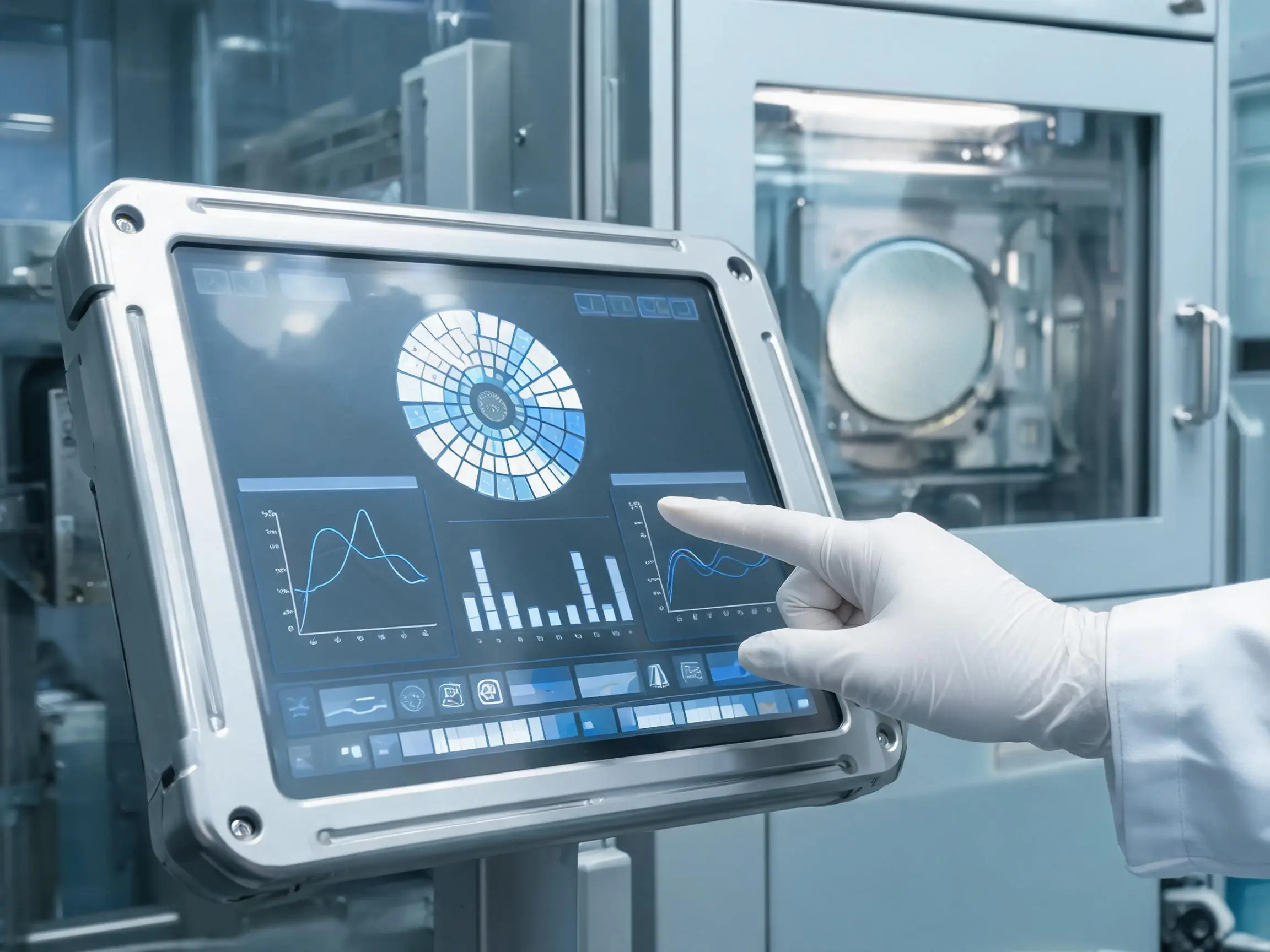
Consumer displays are designed for short product cycles, standard environments, and general-purpose computers. Semiconductor equipment may remain in production and field service much longer and often requires controlled mechanical and electrical integration.
Direct answer: Consumer displays may create risks related to lifecycle, interface changes, temperature, continuous operation, mechanical mounting, touch stability, cleaning, and replacement compatibility.
Why Does Long-Term Availability Matter?
A semiconductor machine can remain in production and service for many years. During that period, the equipment manufacturer may need additional displays for new machines, field repairs, refurbishments, and spare-parts inventory.
Consumer LCD models can change frequently. A replacement panel with the same diagonal size and resolution may have different:
- Outline dimensions
- Active-area position
- Mounting holes
- Connector location
- Pin assignment
- Display timing
- Backlight power
- Viewing direction
- Color performance
- Operating temperature
These changes can affect the enclosure, mounting frame, cable, display controller, touchscreen, cover glass, software timing, and validation results.
The importance of lifecycle planning is also discussed in Why Is Reliability Important for AI Server Displays? .
Why Does Continuous Operation Change the Display Requirement?
Semiconductor equipment may operate for long shifts or continuously. Even if an operator does not touch the screen frequently, the LCD and backlight can remain powered for extended periods.
Engineers should evaluate:
- Backlight-life specification
- Operating temperature
- Backlight current
- Automatic dimming
- Screen-saver behavior
- Image-retention risk
- Controller-board temperature
- Power-cycling frequency
Static interface elements should be considered during software design. Brightness can be reduced when the equipment is not being serviced, provided that active alarms remain visible and the display can return to normal brightness when required.
Why Does Internal Cabinet Temperature Matter?
Semiconductor fabrication areas may have controlled room temperature, but the display can be installed close to power supplies, heaters, pumps, motors, industrial computers, and process-control electronics.
The temperature behind the LCD may therefore be higher than the surrounding cleanroom temperature.
High temperature can affect:
- Backlight service life
- LCD optical performance
- Touch-controller stability
- Adhesive and gasket materials
- Optical-bonding materials
- Flexible cables
- Display controller components
The temperature should be measured at the actual LCD and controller locations while the equipment operates under its highest expected process load.
Why Does Cleanroom Integration Require More Than an LCD Panel?
An LCD panel alone does not determine whether a machine is suitable for cleanroom operation. Cleanroom compatibility depends on the completed equipment structure, materials, airflow, sealing, cleaning method, and particle-control design.
The display assembly may require:
- A smooth front surface
- Flush-mounted cover glass
- Sealed front-panel construction
- Materials compatible with the cleaning process
- Limited gaps where particles can collect
- Controlled cable and enclosure openings
- Suitable gasket and adhesive materials
A projected capacitive touchscreen behind continuous cover glass can provide a flat front surface that is easier to wipe. However, cleaning chemicals, glove use, water behavior, and touch sensitivity still need to be tested.
Why Can Consumer Touchscreens Become Unstable?
Semiconductor equipment may contain switching power supplies, high-voltage circuits, motors, pumps, heaters, robots, and high-speed communication systems. These components can create electrical noise around a projected capacitive touchscreen.
Possible touch problems include:
- False touch events
- Missed input
- Unstable coordinates
- Reduced edge sensitivity
- Temporary loss of touch communication
- Different behavior when the machine is grounded
An industrial touch solution should be tuned and tested with the actual LCD, cover glass, controller, power supply, enclosure, grounding structure, and cables.
Why Does Mechanical Integration Matter?
Consumer monitors are complete products with their own housings and stands. Semiconductor equipment manufacturers often need a display assembly integrated directly into a custom front panel.
The mechanical design must review:
- LCD outline and active area
- Bezel opening
- Mounting points
- Display thickness
- Cover-glass dimensions
- Touch-controller position
- Cable direction and bending space
- Ventilation
- Service access
- Replacement procedure
Uneven pressure, enclosure deformation, or incorrect adhesive thickness can cause image marks, light leakage, touch drift, false activation, or glass stress.
Claim: Consumer displays may appear suitable during prototyping, but their lifecycle, construction, interface stability, and environmental limits can create problems during long-term semiconductor equipment production.
3. Which LCD Specifications Matter Most in Semiconductor Machines?
The most suitable LCD is determined by the equipment task and installation conditions. No single brightness, resolution, size, or interface is correct for every semiconductor machine.
Direct answer: Engineers should focus on screen size, aspect ratio, resolution, viewing angle, brightness, contrast, temperature range, backlight life, interface, touch technology, mechanical dimensions, and lifecycle.
How Should Screen Size Be Selected?
Compact status panels may use smaller displays, while process-control interfaces and inspection equipment may require more screen area.
The size should be based on:
- Amount of information shown
- Normal viewing distance
- Touch-control dimensions
- Glove requirements
- Camera-image size
- Number of process modules
- Available front-panel space
- Required on-screen keyboard
A larger display can show more information simultaneously, but it requires more space, power, structural support, and thermal planning.
Related size-selection guidance is available in What Display Sizes Are Common in AI Equipment? .
How Should Resolution Be Selected?
High resolution is useful for wafer maps, camera images, defect review, equipment diagrams, trend graphs, and multi-zone dashboards.
However, high resolution on a compact LCD can produce small text and controls. The operating system and machine software must support appropriate scaling.
Engineers should test the actual interface on the selected panel at the normal viewing distance. A screenshot viewed on a desktop monitor does not accurately represent the final machine interface.
Why Do Viewing Angle and LCD Mode Matter?
Semiconductor equipment displays may be mounted above or below eye level. Several operators may also view the same screen from different positions.
IPS or other wide-viewing-angle technologies can maintain more consistent contrast and color across different directions. VA technology can provide strong contrast but may show more visible changes from some viewing angles.
The preferred viewing direction should be compared with the final mounting position. Rotating an LCD can place its weaker viewing direction where the operator needs the best visibility.
How Much Brightness Is Required?
Most semiconductor machines operate indoors, so very high brightness is not always necessary. Excessive brightness can add power consumption, heat, and backlight stress without improving readability.
Brightness should be evaluated with:
- Cleanroom lighting
- Reflections from cover glass
- Mounting angle
- Viewing distance
- Screen background color
- Touchscreen transmission
- Protective-film transmission
Anti-glare surface treatment can reduce distracting reflection, but heavy anti-glare treatment may reduce perceived sharpness in image-inspection applications. The surface should match the screen content and viewing conditions.
When Is Optical Bonding Useful?
Optical bonding fills the air gap between the LCD and touchscreen or cover glass with an optical material.
Possible benefits include:
- Reduced internal reflection
- Improved perceived contrast
- Reduced possibility of moisture in the viewing gap
- A more integrated mechanical structure
- Improved readability under stronger ambient light
Optical bonding may be useful for inspection equipment, high-value control panels, or systems requiring a sealed front surface. Air bonding may remain suitable when the optical and environmental requirements are moderate.
Which Touch Technology Should Be Used?
Projected capacitive touch is suitable when the equipment requires multi-touch, fast response, and a continuous glass front. The sensor and controller must be adjusted for the actual cover glass, glove type, grounding, and electromagnetic environment.
Resistive touch remains useful when operators need deliberate single-point input with heavy gloves or a stylus. Its limitations include lower optical transmission, a flexible surface, and gradual mechanical wear.
Touch technology should be selected from the real maintenance and operating workflow rather than appearance alone.
Which Display Interfaces Are Common?
Embedded semiconductor equipment may use LVDS, eDP, MIPI DSI, RGB, HDMI, or DisplayPort, depending on the host platform and display architecture.
The touch controller may use USB, I²C, RS-232, or another communication interface. The video and touch interfaces should be reviewed separately.
| LCD Specification | Semiconductor Equipment Question | Possible Risk if Incorrect |
|---|---|---|
| Screen size | Can operators read and control the interface comfortably? | Crowded menus or oversized enclosure |
| Resolution | Does the software scale correctly? | Small text or insufficient image detail |
| Viewing angle | Where is the screen mounted? | Contrast or color change from the operator position |
| Brightness | What are the lighting and reflection conditions? | Poor readability or unnecessary heat |
| Temperature | What temperature does the LCD experience inside the machine? | Reduced life or unstable performance |
| Interface | Does the LCD match the host board electrically? | No image, flicker, or additional controller required |
| Lifecycle | How long will the machine be produced and serviced? | Redesign after panel discontinuation |
Claim: LCD specifications must be evaluated as a connected system because size affects the interface, brightness affects heat, bonding affects optics, and panel selection affects long-term supply.
4. How Should Displays Be Integrated and Validated in Semiconductor Equipment?
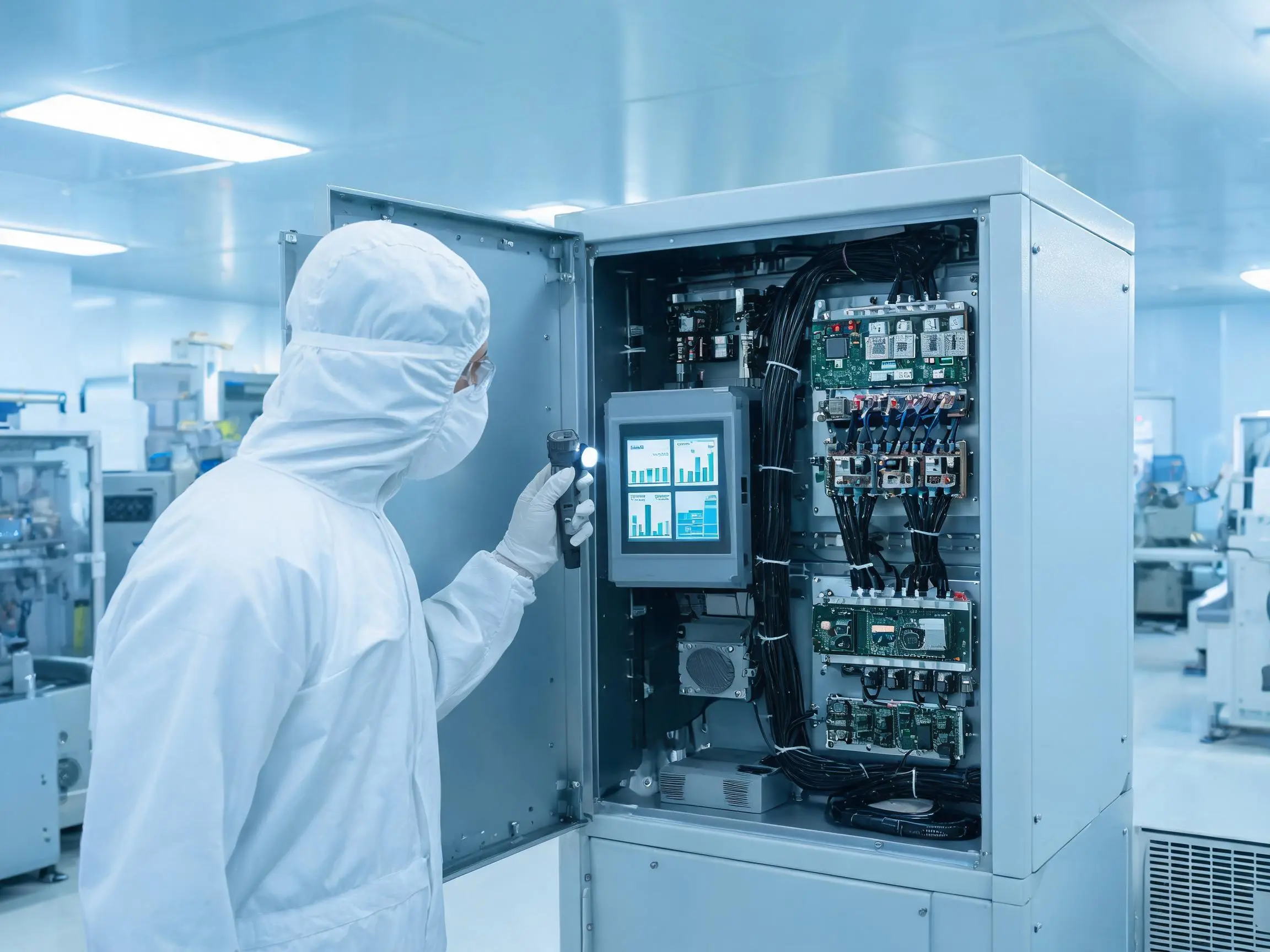
A suitable industrial LCD can still fail in the field if it is connected, mounted, powered, or controlled incorrectly. Validation should use the final host board, cables, enclosure, touchscreen, power supply, and operating software.
Direct answer: Engineers should validate video timing, touch communication, power sequencing, thermal performance, mechanical mounting, EMC, ESD, cleaning compatibility, software behavior, and long-term operation.
What Should Be Checked During Electrical Integration?
Electrical integration should confirm:
- Video interface and timing
- Connector and pin assignment
- LCD supply voltage
- Backlight voltage and current
- Power sequence
- Backlight enable signal
- Brightness-control method
- Touch-controller voltage
- Grounding and shielding
- Cable length and routing
Power-sequence problems can cause unstable startup, image abnormalities, or long-term panel stress. Backlight and logic power should follow the LCD manufacturer’s requirements.
How Should the Display Be Mounted?
The LCD should be supported evenly without twisting or concentrated bezel pressure. The enclosure must provide enough clearance for connectors, cables, controllers, and thermal expansion.
Mechanical validation should check:
- Front-panel cutout
- Active-area alignment
- Mounting tolerance
- Bezel pressure
- Cover-glass support
- Adhesive and gasket thickness
- Cable bending radius
- Controller-board mounting
- Ventilation
- Service replacement
The replacement procedure should be considered during the original design. A display that cannot be removed without disassembling the complete machine increases field-service time.
How Should EMC and ESD Be Tested?
Testing should be performed on the fully assembled semiconductor machine. Separate LCD and touch-panel tests cannot reproduce the noise generated by the final power supplies, motors, pumps, heaters, robots, computers, and cables.
Engineers should check for:
- Image flicker
- Temporary signal loss
- False touch
- Missed touch
- Coordinate drift
- Controller disconnection
- Unexpected system restart
- Communication errors
Grounding and shielding should be designed into the equipment rather than added after unstable behavior appears.
How Should Cleaning Compatibility Be Evaluated?
The cover glass, printing ink, optical adhesive, gasket, surface coating, and protective film should be tested with the intended cleaning process.
Repeated cleaning can affect:
- Printed borders
- Anti-glare coatings
- Adhesive edges
- Gasket materials
- Touch sensitivity
- Surface appearance
The equipment manufacturer should provide information about cleaning chemicals, frequency, wiping materials, and expected contact time.
What Should the Validation Plan Include?
| Validation Area | Recommended Test | Main Risk |
|---|---|---|
| Video interface | Cold start, restart, timing, resolution, and long operation | No image, flicker, color error, or signal loss |
| Touchscreen | Accuracy, edges, gloves, moisture, and restart | False input or unavailable control |
| Temperature | Operate the machine at its highest expected load | Reduced life or unstable performance |
| Mechanical mounting | Pressure, vibration, cable movement, and replacement | Glass stress, image marks, or cable failure |
| EMC and ESD | Test the completed equipment | Touch errors, communication failure, or restart |
| Cleaning | Repeat the approved cleaning method | Coating, printing, gasket, or adhesive damage |
| Software | Alarms, permissions, scaling, and recovery operation | Operator error or unavailable maintenance access |
| Continuous operation | Extended operation with realistic machine cycles | Intermittent faults missed during short tests |
Claim: Semiconductor equipment display validation must reproduce the finished machine because the LCD’s field performance depends on the host electronics, mechanical structure, operating environment, and software.
5. What Advantages Does XIANHENG Offer for Semiconductor Equipment Display Projects?
XIANHENG provides industrial LCD and touchscreen solutions for semiconductor processing, inspection, metrology, wafer handling, packaging, testing, and factory-support equipment.
Direct answer: XIANHENG can coordinate the industrial TFT LCD, touchscreen, customized cover glass, optical bonding, controller, cables, mechanical requirements, samples, and lifecycle planning as one display project.
How Does XIANHENG Select Industrial TFT LCDs?
Our selection process begins with the equipment requirements rather than a single panel model.
We review:
- Equipment type
- Displayed information
- Screen size and resolution
- Host-board interface
- Viewing distance and angle
- Brightness requirement
- Operating temperature
- Touchscreen requirement
- Mechanical dimensions
- Expected production lifecycle
- Estimated quantity
XIANHENG works with industrial LCD panels from manufacturers such as BOE, AUO, Innolux, and Tianma.
Available options can include:
- Wide-viewing-angle IPS displays
- High-contrast VA panels
- High-brightness LCD modules
- Wide-temperature displays
- Full HD and 4K panels
- LVDS, eDP, MIPI, RGB, and HDMI solutions
- Long-lifecycle industrial models
How Can XIANHENG Support Touchscreen Customization?
Depending on the equipment, XIANHENG can provide projected capacitive or resistive touchscreen solutions.
PCAP customization can include:
- Customized touch-sensor dimensions
- Customized cover-glass outline
- Printed borders and logos
- Mounting holes
- Transparent indicator windows
- USB or I²C touch communication
- Controller selection
- Glove-operation adjustment
- Touch-sensitivity tuning
- Optical or air bonding
How Can XIANHENG Support Display Integration?
A customized display assembly can include:
- Industrial TFT LCD
- PCAP or resistive touchscreen
- Customized cover glass
- Optical bonding
- Touch-controller board
- Display and touch cables
- HDMI, LVDS, or eDP controller solution
- Mechanical drawings
- Sample integration support
Early engineering communication allows the interface, cable direction, cover-glass thickness, controller position, bonding structure, and enclosure dimensions to be reviewed before tooling and production.
How Does XIANHENG Support Long-Term Supply?
Semiconductor equipment may require long production and service periods. XIANHENG can help evaluate LCD lifecycle, maintain approved configurations, communicate relevant changes, and review replacement models when a panel approaches the end of production.
Any replacement should be checked for mechanical, optical, electrical, software, and touchscreen compatibility before production use.
For a broader overview of our support process, see How Can XIANHENG Support AI Hardware Manufacturers? .
Claim: XIANHENG supports semiconductor equipment manufacturers by connecting industrial LCD sourcing with touchscreen customization, display integration, prototype support, and lifecycle planning.
Review available semiconductor equipment display options in the Industrial LCD Product Collection .
For a semiconductor equipment display project, please reach out to XIANHENG with your equipment application, required screen size, resolution, host interface, operating environment, touch requirements, mechanical drawing, expected quantity, and lifecycle requirement.


