
Industrial robots do not use one standard display size. A compact status panel on a collaborative robot, a handheld teach pendant, a controller-cabinet HMI, a machine-vision station, and an autonomous mobile robot place very different demands on the screen. Common industrial robot display sizes therefore range from about 4.3 inches for basic local information to 27 inches or larger for detailed vision, diagnostics, and cell supervision.
The diagonal dimension is only a starting point. Engineers must also evaluate the active area, aspect ratio, native resolution, viewing distance, operator tasks, glove use, touch-target size, enclosure opening, cable route, power, thermal conditions, and expected service period. A larger panel can show more information, but it can also increase enclosure depth, front-panel area, power consumption, structural load, and software-scaling work.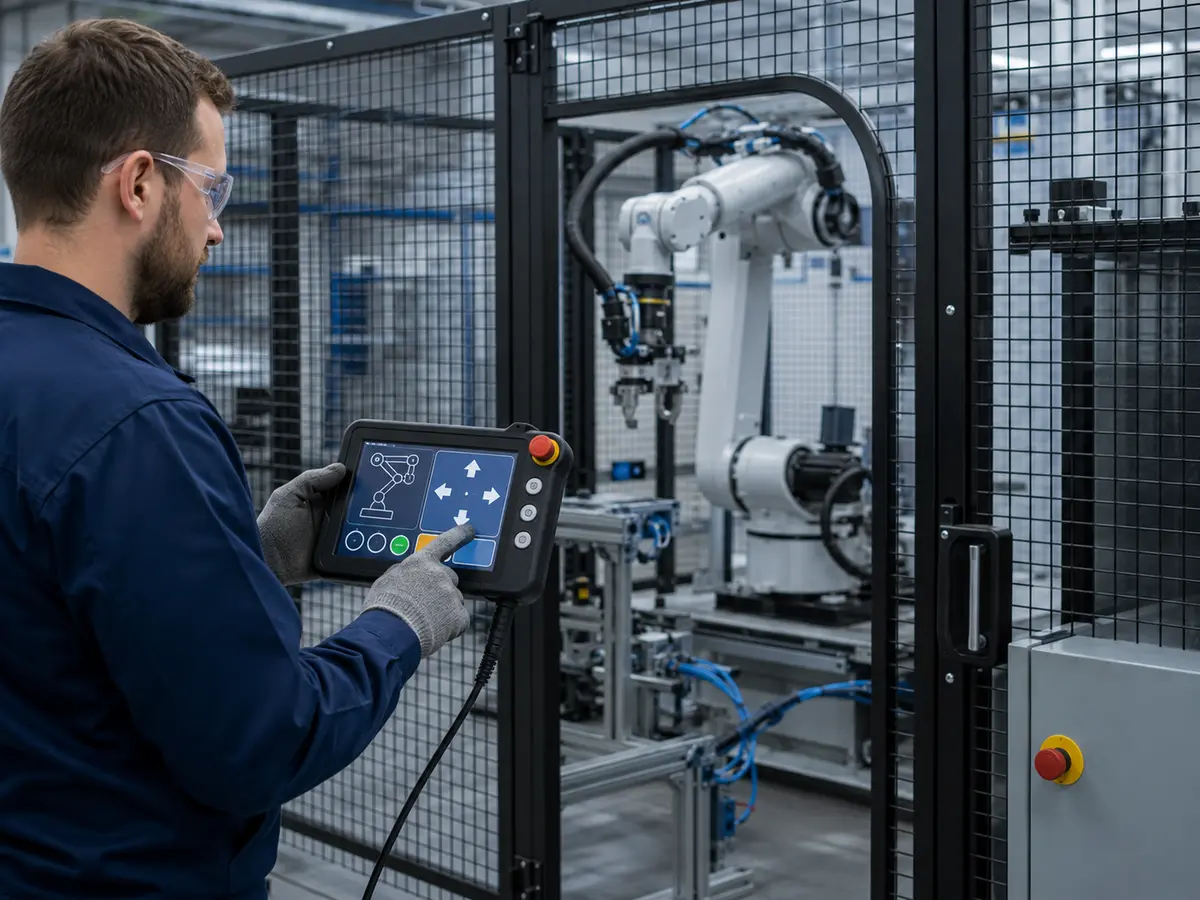
After more than ten years of supporting industrial LCD integration, we have found that successful robot projects select the display around the HMI workflow and mechanical platform rather than copying the size used by another machine. The correct question is not simply which size is popular. It is which active display area allows the intended users to read, touch, diagnose, and service the robot reliably under real operating conditions.
Quick Answer: Industrial robots commonly use 4.3- to 7-inch displays for status and compact controls; 8- to 10.4-inch displays for teach pendants, cobots, and small HMIs; 12.1- to 15.6-inch displays for controller cabinets and main operating stations; 17- to 19-inch displays for fixed consoles and legacy replacements; and 21.5- to 27-inch or larger displays for machine vision, diagnostics, and multi-robot supervision. The final size must be selected together with the resolution, aspect ratio, touchscreen, interface, enclosure, HMI layout, environment, and lifecycle plan.
Claim: Industrial robot display size should be determined by the operator task, physical viewing conditions, software content, touch method, mechanical structure, and service requirements. Diagonal size alone cannot establish suitability.
1. Why Do Industrial Robot Display Size Requirements Differ?
A robot display may support teaching, jogging, production monitoring, alarm review, camera inspection, maintenance, or fleet status. These functions require different screen areas and viewing distances. A handheld pendant is not used in the same way as a fixed 23.8-inch vision monitor.
Direct answer: Display-size requirements differ because robot HMIs serve different users, functions, mounting positions, distances, and environments. The screen must provide enough physical area for the required information and touch controls while fitting the equipment, preserving visibility, and avoiding unnecessary power, weight, or mechanical complexity.
How Does the Robot Application Affect Screen Size?
A production robot may use a pendant for setup and a cabinet HMI for production. A cobot may place a touchscreen on its base. An AMR may need a local service screen, while a vision-guided cell may require a larger monitor for images, measurements, positions, and alarms.
These roles explain why industrial robots still need local displays even when they are connected to factory networks. The relationship between local operation, diagnostics, and centralized control is discussed in Why Do Industrial Robots Need Industrial LCD Displays?.
Why Does the Installation Position Matter?
Handheld equipment has strict limits for weight, balance, grip area, cable strain, and drop protection. Fixed panels permit larger screens, but the opening, door stiffness, brackets, gasket, connectors, ventilation, and service clearance still impose limits. An AMR display must not obstruct sensors or access panels.
How Does Viewing Distance Change the Requirement?
A pendant is viewed at close range, a cabinet HMI from roughly arm's length, and a cell-status display from farther away. Character height, icon size, contrast, brightness, and viewing angle must reflect that distance. More pixels do not improve distance readability when physical content remains small.
How Does the Amount of Information Affect Size?
Simple status, mode, and start information can fit on a small screen. Teaching coordinates, program lists, alarm history, process trends, I/O states, maintenance instructions, and vision images require more space. The HMI designer should decide which information must appear simultaneously and which can be placed on separate pages without slowing the task or hiding important status.
Why Is the Operator Profile Important?
Operators, technicians, and integrators use the same HMI differently. Glove use, language expansion, vision needs, and numeric entry can change the required physical area and target spacing. Touch technology and size should therefore be selected together, as explained in How Do Touchscreens Improve Industrial Robot Operation?.
Claim: Robot display sizes vary because the HMI role varies. A useful size is one that supports the required information and controls at the actual viewing distance while remaining compatible with the equipment structure and operator workflow.
2. Which Display Sizes Are Common in Industrial Robot Applications?
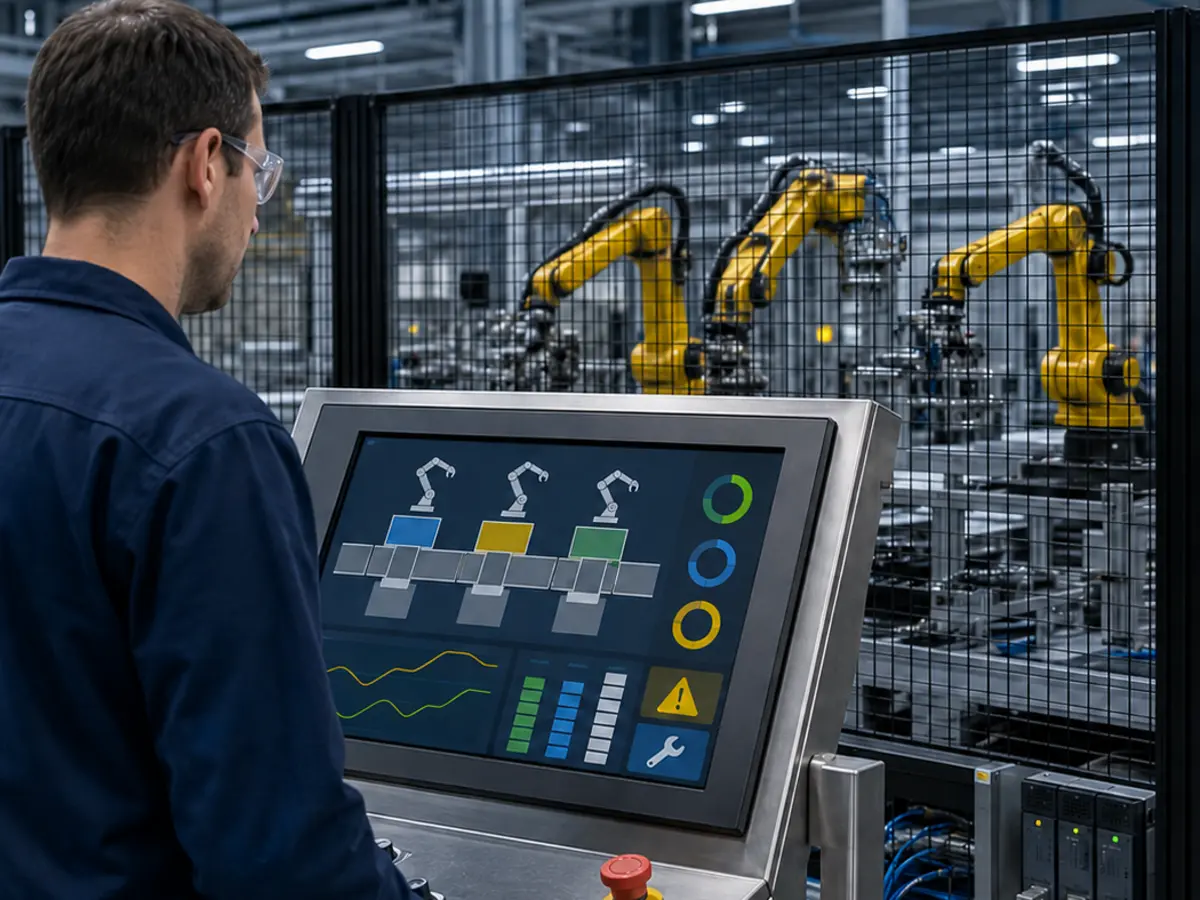
Robot projects repeatedly use several established size groups. Availability depends on resolution, format, brightness, interface, temperature range, and product status, so these ranges describe common patterns rather than a universal standard.
Direct answer: Small 4.3-, 5-, 5.7-, and 7-inch screens are common for status and compact embedded controls. The 8-, 10.1-, and 10.4-inch range is widely used in teach pendants and compact robot HMIs. Sizes from 12.1 to 15.6 inches suit main control panels, while 17-, 18.5-, and 19-inch formats remain common in fixed consoles and replacement projects. Displays from 21.5 to 27 inches or larger are used where vision images, multiple data windows, or cell-level supervision require more area.
When Are 4.3- to 7-Inch Displays Used?
This group suits status panels, mode selection, basic parameter entry, and small embedded controllers. Resolutions may include 480 × 272, 800 × 480, 800 × 600, or 1024 × 600.
A small LCD saves space and power, but the HMI must avoid dense menus, miniature targets, and crowded keyboards. A 7-inch screen can be capable when the workflow is focused; shrinking a desktop interface usually is not.
Why Are 8- to 10.4-Inch Displays Common in Teach Pendants?
This range balances touch area with portable dimensions. An 8- or 10.1-inch widescreen can show jogging controls, coordinates, program steps, and status without making the pendant excessively large. A 10.4-inch 4:3 display remains relevant for established 800 × 600 or 1024 × 768 systems.
A change from 10.1 to 10.4 inches is not minor: the format, active area, resolution, outline, interface, and mounting can differ, requiring enclosure, glass, cable, controller, and HMI changes.
When Are 12.1- to 15.6-Inch Displays Suitable?
These sizes are common in controller cabinets, fixed stations, cobot terminals, machine-tending cells, and AMR commissioning interfaces. A 12.1-inch panel fits compact cabinets, while 15- or 15.6-inch screens provide more room for trends, alarms, maintenance pages, and keyboards.
Traditional 12.1- and 15-inch panels often use 4:3 formats such as 1024 × 768; newer 12.1- and 15.6-inch panels may use 1280 × 800, 1366 × 768, or 1920 × 1080. Software and the opening determine the correct format.
Why Do 17-, 18.5-, and 19-Inch Displays Remain Relevant?
Fixed consoles frequently use these sizes. The 17- and 19-inch 5:4 formats are important for legacy 1280 × 1024 software, while 18.5-inch 16:9 panels suit newer widescreen HMIs.
Replacing a 17- or 19-inch panel with an 18.5-inch model changes the visible area, scaling, touch mapping, and opening despite the similar diagonal.
When Are 21.5- to 23.8-Inch Displays Used?
This range suits robot vision, inspection, programming, diagnostics, and cell supervision. Full HD can show camera images beside coordinates, results, process data, alarms, and controls.
Machine-vision image quality depends on more than screen size. Native resolution, luminance, contrast, grayscale behavior, color requirements, viewing angle, surface treatment, controller output, and ambient light should be specified. Related display requirements in inspection equipment are reviewed in How Do LCD Displays Improve Wafer Inspection Systems?.
When Are 27-Inch or Larger Displays Appropriate?
Large screens support control-room supervision, instructions, simulation, multiple camera feeds, and multi-robot dashboards. They are less common as local controls because they require more space, power, structure, cooling, and viewing distance.
A large display should not replace a clear information hierarchy. If every alarm, trend, camera, and control is shown at once, the result may still be difficult to use. The HMI must preserve task focus, permissions, mode awareness, and deliberate command entry.
How Do Size Patterns Compare Across Industrial Equipment?
Robot displays share many selection principles with AI and semiconductor equipment, although the workflows differ. Comparative guides such as What Display Sizes Are Common in AI Equipment? and What Display Sizes Are Common in Semiconductor Equipment? show the same underlying rule: the correct size follows the human task, information density, equipment architecture, and lifecycle plan.
Claim: Common robot display sizes extend from compact 4.3-inch status panels to 27-inch or larger supervision screens. Each size group serves a different combination of portability, information density, viewing distance, mechanical space, and software format.
3. How Do Size, Resolution, Touch, and Viewing Conditions Work Together?
Two displays with the same diagonal can have different 4:3 or 16:9 active areas and different resolutions. If the HMI is not designed for the selected format, information may become too small, stretched, clipped, or difficult to touch.
Direct answer: Engineers should select the physical size, active area, aspect ratio, native resolution, pixel density, touch-target dimensions, brightness, viewing angle, surface treatment, and interface as one system. A useful screen must make the intended content readable and operable under the actual distance, lighting, gloves, motion, and contamination conditions.
Why Is Active Area More Useful Than Diagonal Size?
Diagonal size does not describe width and height. A 15-inch 4:3 panel and a 15.6-inch 16:9 panel have different geometry. Compare the active area, outline, bezel, thickness, mounting, connector position, and opening using drawings.
How Should Resolution Be Matched to Physical Size?
Higher resolution provides finer detail but can produce smaller text and controls. The HMI should normally use native resolution, with the operating system, application, driver, and touch mapping supporting the intended scale.
Legacy software may be fixed to 640 × 480, 800 × 600, 1024 × 768, or 1280 × 1024. A widescreen replacement can create borders, stretching, blur, or misplaced touch coordinates, so confirm software behavior before changing the mechanics.
How Large Should Touch Targets Be?
Define touch targets in physical millimeters, not only pixels. Gloves, finger angle, vibration, pendant movement, glass, and neighboring critical functions influence spacing. Test edge and corner controls with the final enclosure.
PCAP and resistive touch can both support robot HMIs, but the selection depends on gestures, gloves, stylus use, contamination, glass, and electrical noise. The engineering tradeoffs are explained in When Should You Choose PCAP Over Resistive Touch for Industrial Displays?.
How Do Brightness and Ambient Light Affect Perceived Size?
A large screen is not useful if reflection or low luminance hides the content. Evaluate luminance, contrast, anti-glare treatment, optical bonding, viewing angle, and HMI colors under expected factory lighting.
How Does Viewing Angle Affect Mounting?
Fixed panels are viewed from different heights, pendants change angle, and AMR screens may sit low. IPS-type, ADS, or AHVA panels can provide wide viewing characteristics, while some TN panels change more with angle. Confirm the actual content at the installed orientation.
Why Must the Interface Be Checked When the Size Changes?
Larger or higher-resolution panels may require different LVDS channels, eDP lanes, controller firmware, cables, and backlight power. A host that drives 800 × 480 cannot automatically drive Full HD. See What Display Interfaces Are Used in Industrial Robots?.
How Do Temperature and Enclosure Design Affect Size?
A larger display may add heat to a sealed cabinet near drives or power supplies. Review ambient temperature, internal rise, airflow, glass, bonding, controller heat, and backlight settings. See How Do Environmental Factors Impact Industrial LCD Reliability?.
Claim: Physical size, active area, aspect ratio, resolution, touch targets, optical performance, interface bandwidth, power, and mounting conditions are interdependent. Changing one element can require changes throughout the robot HMI.
4. How Should Engineers Select and Validate the Display Size?
Select the size before releasing the enclosure, glass, cable harness, and HMI layout. A late change from 10.1 to 12.1 inches can affect the entire front panel.
Direct answer: Engineers should define the users, HMI tasks, viewing distance, installation position, available space, software resolution, touch method, gloves, brightness, aspect ratio, interface, power, temperature, vibration, annual demand, and service life. Candidate sizes should then be evaluated with full-scale HMI mockups and validated using the intended LCD, touchscreen, controller, host, enclosure, cables, and robot electronics.
What Requirements Should Be Collected First?
Collect the robot type, screen location, users, operating modes, critical commands, viewing distance, simultaneous content, languages, gloves, cleaning, available area and depth, mounting, cable direction, host interface, operating system, resolution, brightness, environment, quantity, and lifecycle.
Why Should Engineers Build a Full-Scale HMI Mockup?
A desktop screenshot does not reveal final text and control size. A full-scale print or prototype lets representative users review reach, readability, glare, spacing, alarms, numeric entry, and glove use.
Include routine operation, teaching, recovery, maintenance, and engineering tasks. The suitable size is often the smallest one that supports them without crowding or excessive navigation.
How Should Candidate Panels Be Compared?
Compare active area, outline, mounting, resolution, format, luminance, viewing angle, interface, voltage, backlight, temperature, touch options, product status, and supply period. Review drawings before freezing the opening, glass, brackets, and cables.
A structured selection method used for other long-lifecycle equipment is described in How Do Engineers Select Displays for Semiconductor Machines?.
What Must Be Tested in the Final Robot Equipment?
Test native resolution, image stability, touch alignment, startup, power interruption, brightness, temperature, vibration, cable retention, EMC, ESD, cleaning, and robot operation. Servo drives, inverters, welders, switching supplies, and poor grounding can disturb a display that worked on the bench.
The screen may show operating mode, protective-stop status, interlock state, and safety messages, but display size does not make a graphical control safety-rated. Required safety functions belong in the approved control architecture, as explained in What Role Do Industrial Displays Play in Functional Safety Systems?.
How Should an Existing Robot Display Be Replaced?
Replacement projects require the original model, datasheet, active area, outline, mounting, resolution, interface, pinout, voltage, backlight, touch, controller, cable, software, and enclosure. The same diagonal may still differ mechanically, optically, or electrically.
If the format is obsolete, choose between a close replacement and a controlled redesign involving the bracket, glass, touch, cable, controller, HMI resolution, and renewed validation.
Should a Robot Platform Standardize One Display Size?
A qualified display family can reduce engineering, inventory, software, and service complexity. One size should not be forced across different viewing requirements; a platform may standardize the interface, controller, and touch architecture while allowing several physical sizes.
Why Does Long-Term Availability Matter?
Robot platforms remain in service for years. A short-lived display can force enclosure, software, touch, and qualification redesign. Review product status, roadmap, forecast, safety stock, alternatives, notification, and last-time-buy planning before approval.
This lifecycle requirement is reviewed further in Why Is Long-Term Availability Critical for Industrial LCD Screen Selection?.
What Should Remain Under Configuration Control?
Control the LCD revision, touchscreen, firmware, glass, bonding, display controller, cable, power, bracket, gasket, enclosure, host, BIOS, operating system, driver, resolution, HMI version, and assembly.
Changes to size, resolution, touch, glass, cable, firmware, or scaling can affect readability, EMC, and startup, requiring engineering review and renewed testing.
Claim: Robot display-size approval requires evidence from full-scale HMI review and completed-equipment testing. The selected panel and its related mechanical, electrical, optical, touch, software, and lifecycle configuration must then remain controlled.
5. What Advantages Does XIANHENG Offer for Industrial Robot Display Projects?
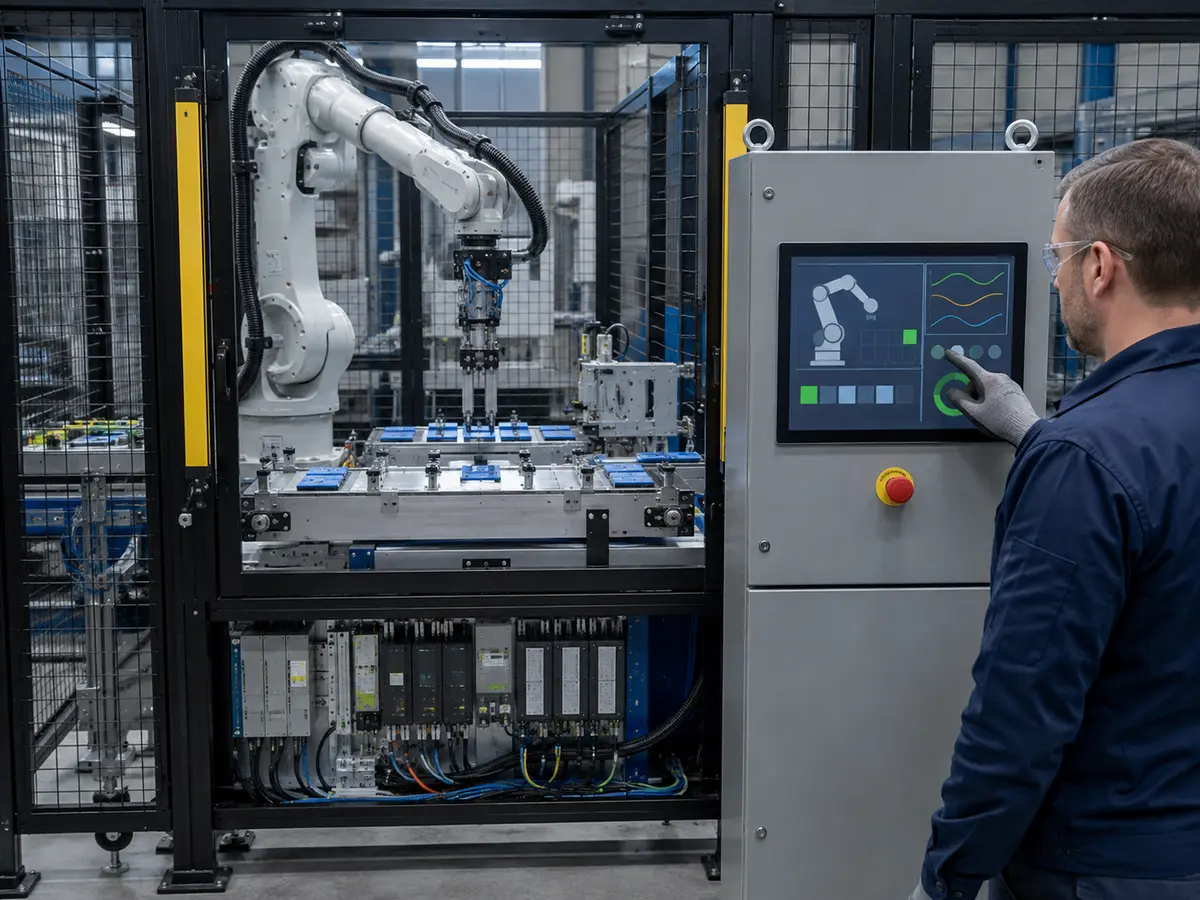
XIANHENG supports display projects for robot teach pendants, controller cabinets, collaborative robots, machine-tending cells, vision-guided robots, AMRs, AGVs, and automated production lines. Our work can begin with a new platform requirement or an obsolete display that needs a controlled replacement.
Direct answer: XIANHENG can help robot manufacturers and integrators compare industrial LCD sizes, active areas, aspect ratios, resolutions, interfaces, brightness levels, temperature ranges, touchscreens, cover glass, bonding, controller boards, cables, mechanical requirements, samples, production controls, and long-term supply plans as one display project.
Which Industrial LCD Sizes Can XIANHENG Support?
XIANHENG can support compact and large industrial TFT LCDs from manufacturers such as BOE, AUO, Innolux, and Tianma. Common project sizes include 7, 8, 10.1, 10.4, 12.1, 15, 15.6, 17, 18.5, 19, 21.5, 23.8, and 27 inches, with other formats evaluated according to availability and application requirements.
Customers can review available models through the Industrial LCD Product Collection. Website specifications are a starting point; final selection should use the panel datasheet, drawing, host requirements, and complete robot application.
How Can XIANHENG Help Compare Candidate Sizes?
Our engineers can compare the available front-panel space with the display active area, outline, aspect ratio, resolution, viewing distance, HMI content, touch targets, connector position, cable route, mounting, brightness, temperature, and product status. This review helps identify whether a requested diagonal is practical before the enclosure and glass are released.
Can XIANHENG Support Customized Touchscreens and Cover Glass?
XIANHENG can support projected capacitive or resistive touch according to the operator, gloves, stylus, gestures, contamination, glass, software, and electrical environment. PCAP development can include sensor dimensions, controller selection, USB or I²C, firmware tuning, sensitivity, noise filtering, edge response, cable direction, and grounding.
Customized cover glass can define the outer dimensions, thickness, viewing window, printed border, logo, transparent sensor windows, holes, slots, corners, edge processing, and surface treatment. Air bonding or optical bonding can be evaluated according to optical, contamination-control, impact, temperature, and service requirements.
Can XIANHENG Coordinate Interfaces, Controllers, and Cables?
The native LCD may use LVDS, eDP, MIPI DSI, or parallel RGB. When the robot computer provides HDMI, DisplayPort, DVI, or VGA, a controller-board solution can be evaluated. XIANHENG can help coordinate resolution, timing, output mapping, firmware, backlight, power, connectors, and customized cables with the selected panel.
How Does XIANHENG Support Prototype Validation?
Prototype support can include requirement review, LCD sourcing, drawing confirmation, touchscreen and cover-glass development, optical bonding, controller programming, cable preparation, assembly, and initial inspection. Customers can then evaluate the sample using the intended host, HMI software, enclosure, power, grounding, gloves, robot electronics, and environmental conditions.
How Can XIANHENG Support Obsolete Display Replacement?
Customers can provide the original panel and touch models, datasheets, photographs, drawings, controller, firmware, cables, host-board information, software resolution, available space, annual demand, and description of the current problem. XIANHENG can compare candidate panels electrically, mechanically, optically, and through touch and software behavior.
Where no direct replacement exists, we can identify the changes required for the bracket, glass, touch sensor, cable, controller, firmware, or software. The final decision and qualification remain with the equipment manufacturer because the replacement must be validated within the completed robot system.
How Does XIANHENG Support Production and Lifecycle Planning?
After sample approval, XIANHENG can support bill-of-material control, drawing and firmware records, incoming and finished-product inspection, cable verification, image and touch checks, packaging, change communication, failure review, demand planning, replacement evaluation, and service requirements.
Long-term planning can consider manufacturer status, forecast quantity, procurement cycle, safety stock, approved alternatives, change notification, and last-time-buy requirements. This helps protect the robot enclosure, HMI software, and qualification work from avoidable panel changes.
What Information Should Customers Provide for a New Project?
Useful inputs include the robot application, screen location, user roles, required size or available opening, viewing distance, HMI functions, resolution, aspect ratio, brightness, interface, host board, operating system, touchscreen, gloves, cover-glass drawing, cable direction, available depth, power, temperature range, vibration, annual quantity, schedule, and expected lifecycle.
To discuss a robot teach-pendant display, controller-cabinet HMI, collaborative-robot touchscreen, vision monitor, AMR interface, customized display assembly, or obsolete robot LCD replacement, please reach out to XIANHENG.
Claim: XIANHENG supports industrial robot display-size projects by coordinating panel selection, active-area and resolution review, touchscreens, cover glass, bonding, interfaces, controllers, cables, prototypes, replacement evaluation, production control, and long-term supply planning.


